$ cat game-controllers.md
Plug a game controller into your computer and the browser can read every button and every stick — no plugins, no libraries, a few lines of JavaScript. In this tutorial you take a small game that already works with the keyboard and add controller support to it, one step at a time.
You need: a text editor, a web browser (Chrome, Edge, Firefox or Safari) and any controller that works with your computer — Xbox, PlayStation, Switch Pro, or a cheap USB one. The main steps take about 20 minutes, the extras another 20. If you have never made a canvas game before, do the HTML, CSS & JavaScript tutorial first: this one starts where that one ends.
Stuck at any point? Every step below has a run this step link to a working copy, and a link to its files. Open them side by side with yours and look for the difference.
Step 1 — The starting game
Make a folder called star-dash with three files. The page and the
style are the same as in the catching game:
index.html
<!DOCTYPE html>
<html lang="en">
<head>
  <meta charset="UTF-8">
  <title>Star Dash</title>
  <link rel="stylesheet" href="style.css">
</head>
<body>
  <h1>Star Dash</h1>
  <canvas id="game" width="480" height="480"></canvas>
  <script src="game.js"></script>
</body>
</html>
style.css
body {
  margin: 0;
  min-height: 100vh;
  display: flex;
  flex-direction: column;
  align-items: center;
  justify-content: center;
  background: #272727;
  color: chartreuse;
  font-family: monospace;
  text-shadow: 0 0 6px rgba(127, 255, 0, 0.6);
}

canvas {
  background: #181818;
  border: 1px solid #5a8f2a;
  border-radius: 12px;
}
And the game: a bright green player you move with the arrow keys, and a dim green star. Touch the star and you score a point, and it jumps somewhere else.
game.js
// Find the canvas on the page, and get the "pen" we draw with.
const canvas = document.getElementById("game");
const ctx = canvas.getContext("2d");

// ----- game state -----
const player = { x: 240, y: 240, radius: 16, speed: 4 };
const star = { x: 100, y: 100, radius: 10 };
let score = 0;

// ----- input: remember which keys are held down right now -----
const keys = {};
document.addEventListener("keydown", (event) => { keys[event.key] = true; });
document.addEventListener("keyup", (event) => { keys[event.key] = false; });

// Put the star somewhere random, away from the edges.
function moveStar() {
  star.x = 40 + Math.random() * (canvas.width - 80);
  star.y = 40 + Math.random() * (canvas.height - 80);
}

// ----- update: change the game state a tiny bit -----
function update() {
  // move the player while an arrow key is held
  if (keys["ArrowLeft"]) player.x -= player.speed;
  if (keys["ArrowRight"]) player.x += player.speed;
  if (keys["ArrowUp"]) player.y -= player.speed;
  if (keys["ArrowDown"]) player.y += player.speed;

  // ...but never off the edge of the canvas
  player.x = Math.max(player.radius, Math.min(canvas.width - player.radius, player.x));
  player.y = Math.max(player.radius, Math.min(canvas.height - player.radius, player.y));

  // touching the star? (closer than the two radiuses added together)
  const distance = Math.hypot(star.x - player.x, star.y - player.y);
  if (distance < player.radius + star.radius) {
    score += 1;
    moveStar();
  }
}

// ----- draw: wipe the canvas and paint everything where it is now -----
function draw() {
  ctx.clearRect(0, 0, canvas.width, canvas.height);

  ctx.fillStyle = "#5a8f2a";
  ctx.beginPath();
  ctx.arc(star.x, star.y, star.radius, 0, Math.PI * 2);
  ctx.fill();

  ctx.fillStyle = "chartreuse";
  ctx.beginPath();
  ctx.arc(player.x, player.y, player.radius, 0, Math.PI * 2);
  ctx.fill();

  ctx.fillStyle = "chartreuse";
  ctx.font = "20px monospace";
  ctx.fillText("Score: " + score, 12, 30);
}

// ----- the game loop: update, draw, repeat - about 60 times a second -----
function loop() {
  update();
  draw();
  requestAnimationFrame(loop);
}

moveStar();
loop();
Nothing new here if you've done the catching game: the same keys
object, the same update(), draw() and
loop(). One new trick: Math.hypot gives the distance
between the player and the star, and if it is smaller than their two radiuses
added together, the circles are touching.
a² + b². If that distance is smaller than the two radiuses added together, the circles overlap.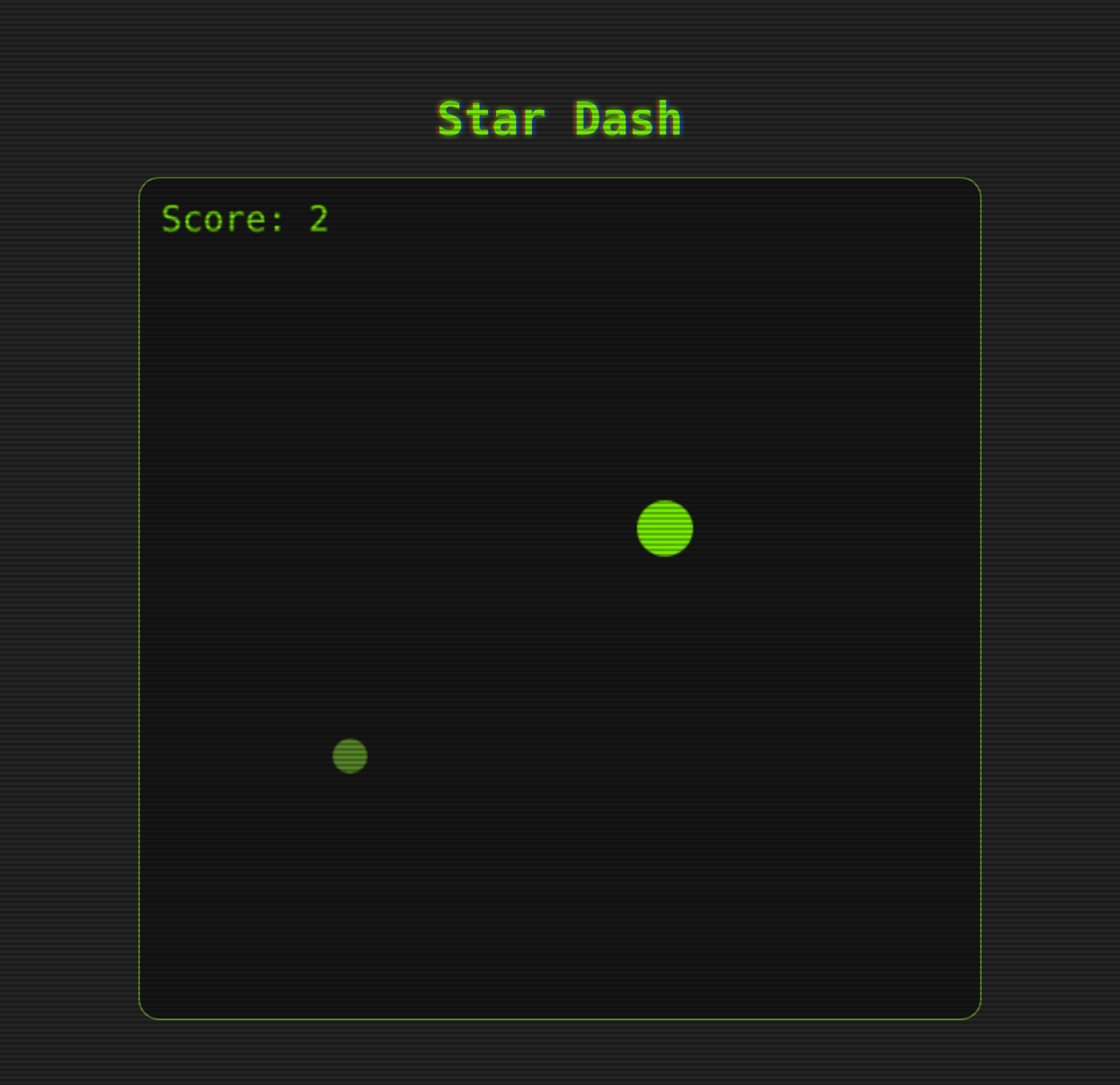
▶ run this stepindex.htmlstyle.cssgame.js
Step 2 — Say hello
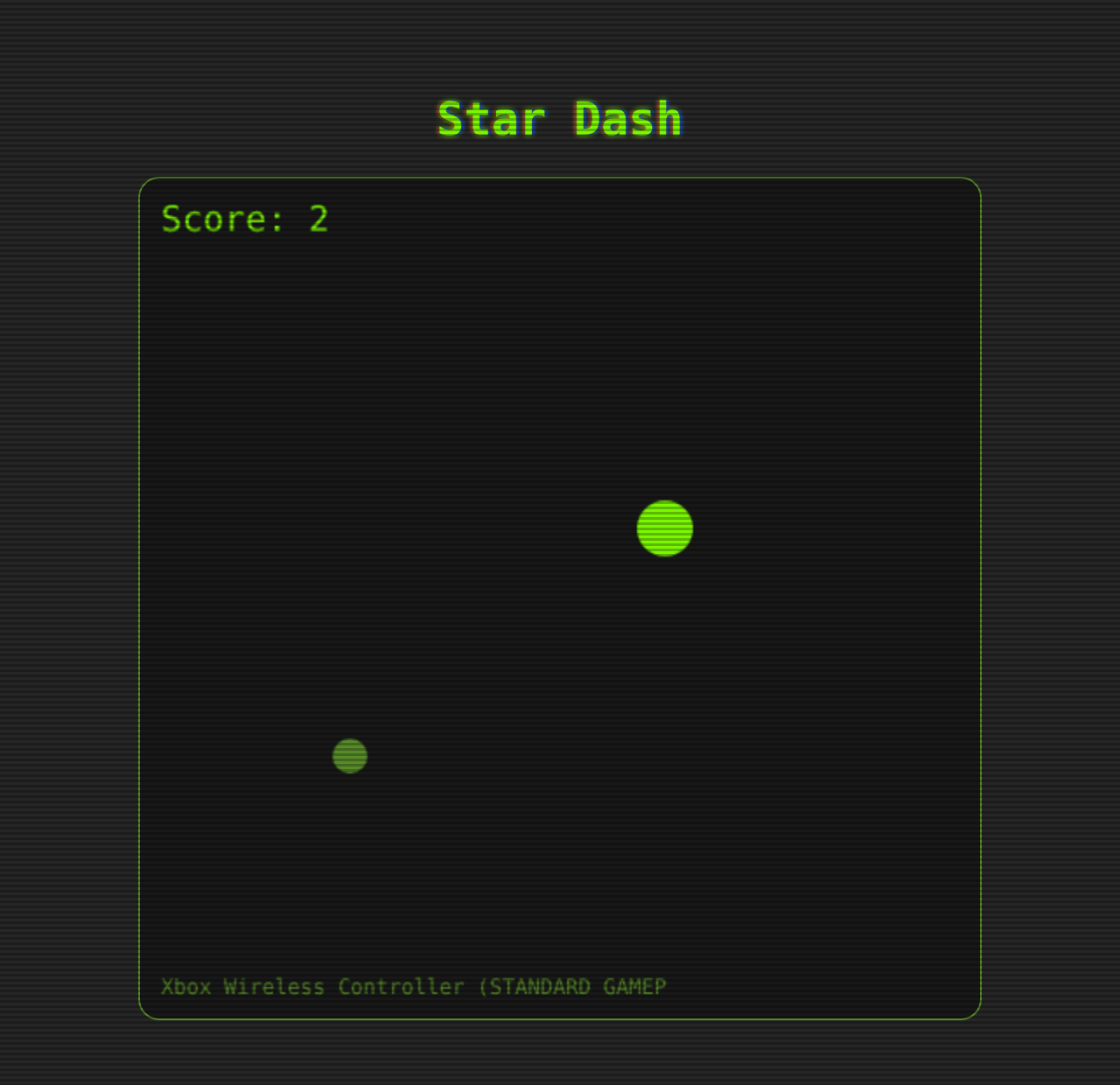
Plug in your controller. The browser can see it — but it won't tell the page
yet. Browsers hide controllers until you press a button, so a
website can't secretly find out what's plugged into your computer. The moment you
press one, the browser fires a gamepadconnected event. Add the
controller section near the top, and the message at the end of
draw():
game.js
// Find the canvas on the page, and get the "pen" we draw with.
const canvas = document.getElementById("game");
const ctx = canvas.getContext("2d");

// ----- game state -----
const player = { x: 240, y: 240, radius: 16, speed: 4 };
const star = { x: 100, y: 100, radius: 10 };
let score = 0;

// ----- input: remember which keys are held down right now -----
const keys = {};
document.addEventListener("keydown", (event) => { keys[event.key] = true; });
document.addEventListener("keyup", (event) => { keys[event.key] = false; });

// ----- the controller -----
let padName = "";   // empty until a controller says hello

// The browser tells us when a controller arrives...
window.addEventListener("gamepadconnected", (event) => {
  padName = event.gamepad.id;
});

// ...and when it goes away.
window.addEventListener("gamepaddisconnected", () => {
  padName = "";
});

// Put the star somewhere random, away from the edges.
function moveStar() {
  star.x = 40 + Math.random() * (canvas.width - 80);
  star.y = 40 + Math.random() * (canvas.height - 80);
}

// ----- update: change the game state a tiny bit -----
function update() {
  // move the player while an arrow key is held
  if (keys["ArrowLeft"]) player.x -= player.speed;
  if (keys["ArrowRight"]) player.x += player.speed;
  if (keys["ArrowUp"]) player.y -= player.speed;
  if (keys["ArrowDown"]) player.y += player.speed;

  // ...but never off the edge of the canvas
  player.x = Math.max(player.radius, Math.min(canvas.width - player.radius, player.x));
  player.y = Math.max(player.radius, Math.min(canvas.height - player.radius, player.y));

  // touching the star? (closer than the two radiuses added together)
  const distance = Math.hypot(star.x - player.x, star.y - player.y);
  if (distance < player.radius + star.radius) {
    score += 1;
    moveStar();
  }
}

// ----- draw: wipe the canvas and paint everything where it is now -----
function draw() {
  ctx.clearRect(0, 0, canvas.width, canvas.height);

  ctx.fillStyle = "#5a8f2a";
  ctx.beginPath();
  ctx.arc(star.x, star.y, star.radius, 0, Math.PI * 2);
  ctx.fill();

  ctx.fillStyle = "chartreuse";
  ctx.beginPath();
  ctx.arc(player.x, player.y, player.radius, 0, Math.PI * 2);
  ctx.fill();

  ctx.fillStyle = "chartreuse";
  ctx.font = "20px monospace";
  ctx.fillText("Score: " + score, 12, 30);

  // which controller, if any
  ctx.fillStyle = "#5a8f2a";
  ctx.font = "12px monospace";
  if (padName) {
    ctx.fillText(padName.slice(0, 40), 12, canvas.height - 14);
  } else {
    ctx.fillText("no controller: plug one in and press a button", 12, canvas.height - 14);
  }
}

// ----- the game loop: update, draw, repeat - about 60 times a second -----
function loop() {
  update();
  draw();
  requestAnimationFrame(loop);
}

moveStar();
loop();
event.gamepad.id is the controller's name, as the computer knows it.
Reload, plug in, and press any button.
Step 3 — Move with the stick
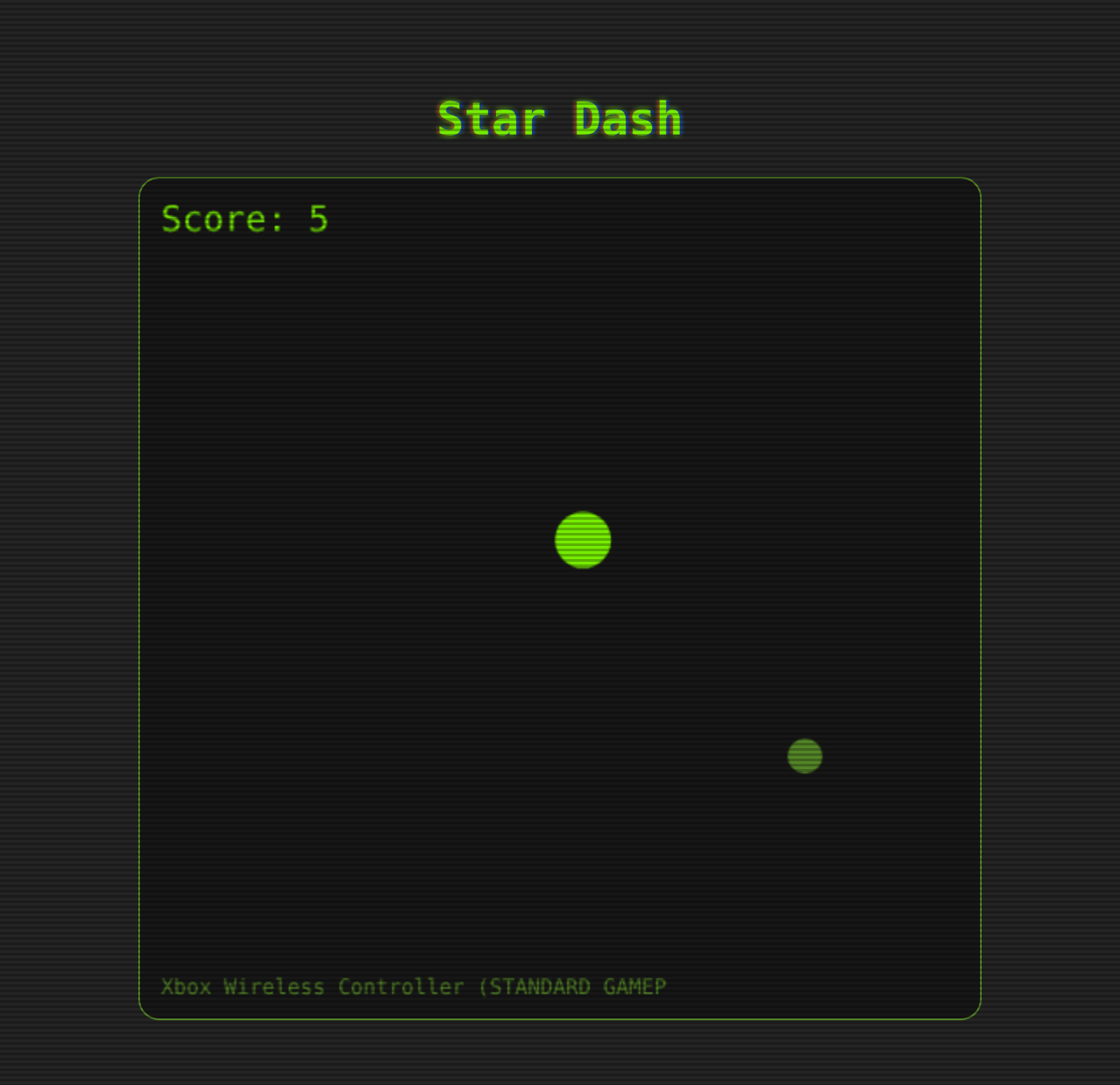
Here is the big difference from the keyboard: a controller doesn't send
events when you press its buttons or move its sticks. Instead you ask,
every frame: “what is the controller doing right now?” — and you
get a snapshot back. That's what navigator.getGamepads() does. It
returns a list, because you can plug in more than one; getPad()
picks the first.
A snapshot has pad.axes, the sticks, as numbers from -1
to 1: axes[0] is the left stick left to right, and
axes[1] is up to down. Multiply by the speed and add it to the
player, at the end of the movement code in update():
game.js
// Find the canvas on the page, and get the "pen" we draw with.
const canvas = document.getElementById("game");
const ctx = canvas.getContext("2d");

// ----- game state -----
const player = { x: 240, y: 240, radius: 16, speed: 4 };
const star = { x: 100, y: 100, radius: 10 };
let score = 0;

// ----- input: remember which keys are held down right now -----
const keys = {};
document.addEventListener("keydown", (event) => { keys[event.key] = true; });
document.addEventListener("keyup", (event) => { keys[event.key] = false; });

// ----- the controller -----
let padName = "";   // empty until a controller says hello

// The browser tells us when a controller arrives...
window.addEventListener("gamepadconnected", (event) => {
  padName = event.gamepad.id;
});

// ...and when it goes away.
window.addEventListener("gamepaddisconnected", () => {
  padName = "";
});

// The first controller, as it is right now - or null if there isn't one.
// Some browsers keep empty slots in the list, so skip those.
function getPad() {
  for (const pad of navigator.getGamepads()) {
    if (pad) return pad;
  }
  return null;
}

// Put the star somewhere random, away from the edges.
function moveStar() {
  star.x = 40 + Math.random() * (canvas.width - 80);
  star.y = 40 + Math.random() * (canvas.height - 80);
}

// ----- update: change the game state a tiny bit -----
function update() {
  // move the player while an arrow key is held
  if (keys["ArrowLeft"]) player.x -= player.speed;
  if (keys["ArrowRight"]) player.x += player.speed;
  if (keys["ArrowUp"]) player.y -= player.speed;
  if (keys["ArrowDown"]) player.y += player.speed;

  // the left stick: axes[0] is left-right, axes[1] is up-down, both -1 to 1
  const pad = getPad();
  if (pad) {
    player.x += pad.axes[0] * player.speed;
    player.y += pad.axes[1] * player.speed;
  }

  // ...but never off the edge of the canvas
  player.x = Math.max(player.radius, Math.min(canvas.width - player.radius, player.x));
  player.y = Math.max(player.radius, Math.min(canvas.height - player.radius, player.y));

  // touching the star? (closer than the two radiuses added together)
  const distance = Math.hypot(star.x - player.x, star.y - player.y);
  if (distance < player.radius + star.radius) {
    score += 1;
    moveStar();
  }
}

// ----- draw: wipe the canvas and paint everything where it is now -----
function draw() {
  ctx.clearRect(0, 0, canvas.width, canvas.height);

  ctx.fillStyle = "#5a8f2a";
  ctx.beginPath();
  ctx.arc(star.x, star.y, star.radius, 0, Math.PI * 2);
  ctx.fill();

  ctx.fillStyle = "chartreuse";
  ctx.beginPath();
  ctx.arc(player.x, player.y, player.radius, 0, Math.PI * 2);
  ctx.fill();

  ctx.fillStyle = "chartreuse";
  ctx.font = "20px monospace";
  ctx.fillText("Score: " + score, 12, 30);

  // which controller, if any
  ctx.fillStyle = "#5a8f2a";
  ctx.font = "12px monospace";
  if (padName) {
    ctx.fillText(padName.slice(0, 40), 12, canvas.height - 14);
  } else {
    ctx.fillText("no controller: plug one in and press a button", 12, canvas.height - 14);
  }
}

// ----- the game loop: update, draw, repeat - about 60 times a second -----
function loop() {
  update();
  draw();
  requestAnimationFrame(loop);
}

moveStar();
loop();
This is something the keyboard can't do: push the stick a little and you move slowly; push it all the way and you move at full speed. A key is either down or up — a stick is how far.
Step 4 — Keyboard and controller together
Every button has a number too. pad.buttons is a list, and each
button has .pressed: true or false. Most controllers use the same
standard numbers, whatever is printed on the buttons:
Let's add the d-pad — buttons 12 to 15 — and tidy up while we're
there. Right now update() reads the keyboard in one place and the
stick in another. Instead, one function, readInput(), asks
both and adds them up into one simple answer: which way to go. Replace
the movement code in update() with it:
game.js
// Find the canvas on the page, and get the "pen" we draw with.
const canvas = document.getElementById("game");
const ctx = canvas.getContext("2d");

// ----- game state -----
const player = { x: 240, y: 240, radius: 16, speed: 4 };
const star = { x: 100, y: 100, radius: 10 };
let score = 0;

// ----- input: remember which keys are held down right now -----
const keys = {};
document.addEventListener("keydown", (event) => { keys[event.key] = true; });
document.addEventListener("keyup", (event) => { keys[event.key] = false; });

// ----- the controller -----
let padName = "";   // empty until a controller says hello

// The browser tells us when a controller arrives...
window.addEventListener("gamepadconnected", (event) => {
  padName = event.gamepad.id;
});

// ...and when it goes away.
window.addEventListener("gamepaddisconnected", () => {
  padName = "";
});

// The first controller, as it is right now - or null if there isn't one.
// Some browsers keep empty slots in the list, so skip those.
function getPad() {
  for (const pad of navigator.getGamepads()) {
    if (pad) return pad;
  }
  return null;
}

// Put the star somewhere random, away from the edges.
function moveStar() {
  star.x = 40 + Math.random() * (canvas.width - 80);
  star.y = 40 + Math.random() * (canvas.height - 80);
}

// ----- one input: keyboard and controller, added together -----
function readInput() {
  const input = { x: 0, y: 0 };

  // the keyboard: the arrow keys
  if (keys["ArrowLeft"]) input.x -= 1;
  if (keys["ArrowRight"]) input.x += 1;
  if (keys["ArrowUp"]) input.y -= 1;
  if (keys["ArrowDown"]) input.y += 1;

  // the controller: the left stick, and the d-pad (buttons 12 to 15)
  const pad = getPad();
  if (pad) {
    input.x += pad.axes[0];
    input.y += pad.axes[1];
    if (pad.buttons[12].pressed) input.y -= 1;
    if (pad.buttons[13].pressed) input.y += 1;
    if (pad.buttons[14].pressed) input.x -= 1;
    if (pad.buttons[15].pressed) input.x += 1;
  }

  // never more than full speed, even with the stick AND a key pushed
  input.x = Math.max(-1, Math.min(1, input.x));
  input.y = Math.max(-1, Math.min(1, input.y));
  return input;
}

// ----- update: change the game state a tiny bit -----
function update() {
  const input = readInput();
  player.x += input.x * player.speed;
  player.y += input.y * player.speed;

  // ...but never off the edge of the canvas
  player.x = Math.max(player.radius, Math.min(canvas.width - player.radius, player.x));
  player.y = Math.max(player.radius, Math.min(canvas.height - player.radius, player.y));

  // touching the star? (closer than the two radiuses added together)
  const distance = Math.hypot(star.x - player.x, star.y - player.y);
  if (distance < player.radius + star.radius) {
    score += 1;
    moveStar();
  }
}

// ----- draw: wipe the canvas and paint everything where it is now -----
function draw() {
  ctx.clearRect(0, 0, canvas.width, canvas.height);

  ctx.fillStyle = "#5a8f2a";
  ctx.beginPath();
  ctx.arc(star.x, star.y, star.radius, 0, Math.PI * 2);
  ctx.fill();

  ctx.fillStyle = "chartreuse";
  ctx.beginPath();
  ctx.arc(player.x, player.y, player.radius, 0, Math.PI * 2);
  ctx.fill();

  ctx.fillStyle = "chartreuse";
  ctx.font = "20px monospace";
  ctx.fillText("Score: " + score, 12, 30);

  // which controller, if any
  ctx.fillStyle = "#5a8f2a";
  ctx.font = "12px monospace";
  if (padName) {
    ctx.fillText(padName.slice(0, 40), 12, canvas.height - 14);
  } else {
    ctx.fillText("no controller: plug one in and press a button", 12, canvas.height - 14);
  }
}

// ----- the game loop: update, draw, repeat - about 60 times a second -----
function loop() {
  update();
  draw();
  requestAnimationFrame(loop);
}

moveStar();
loop();
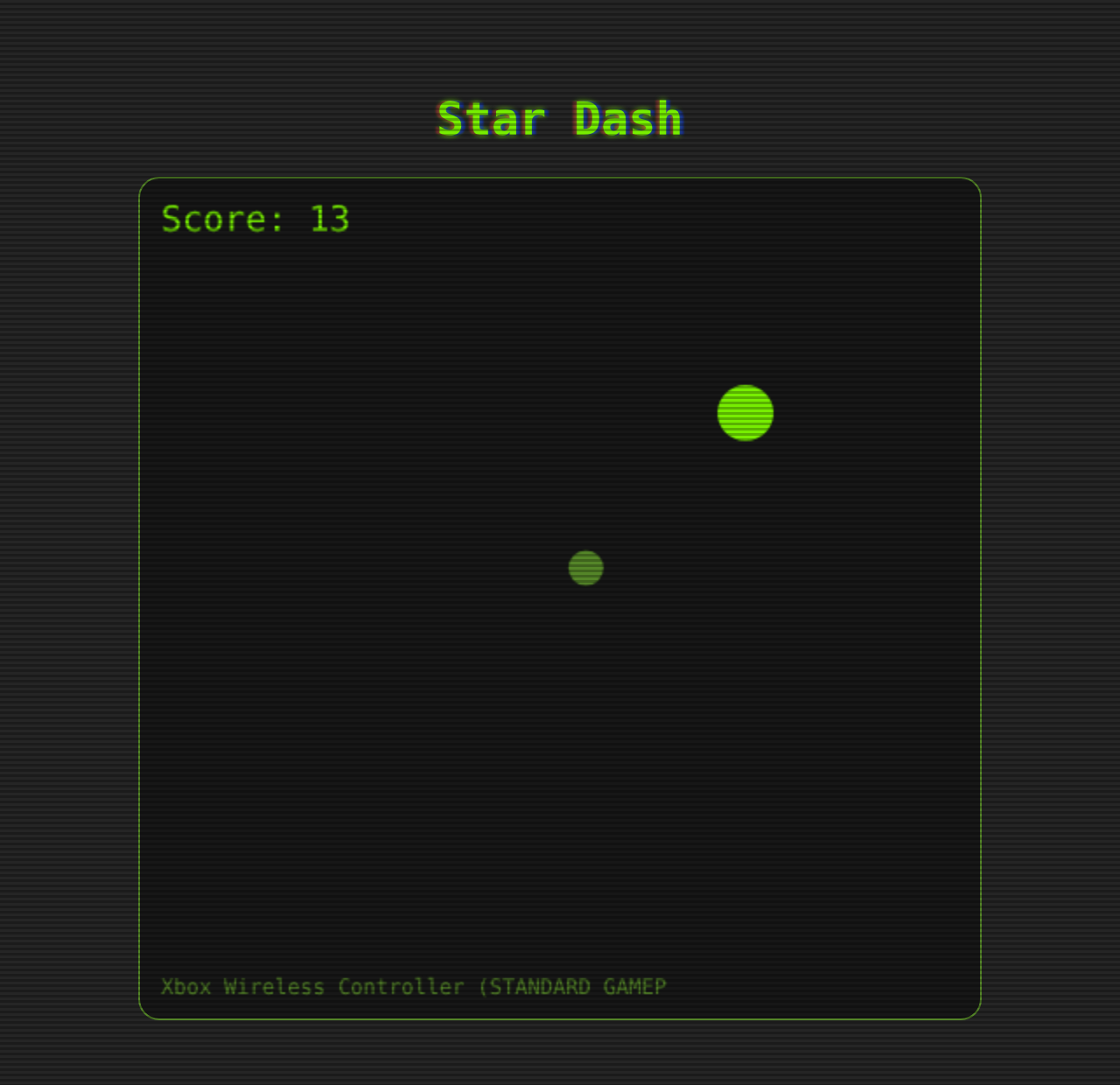
Look at update() now: it doesn't mention keys or buttons at all. The
rest of the game never needs to know where the input came from — want to
add touch buttons for phones later? Only readInput() changes.
▶ play the finished gameindex.htmlstyle.cssgame.js
That's it: your game works with a controller. The extras below are optional — do them in order, each one builds on the one before.
Extra 1 — Stop the drift
Let go of the stick and watch the player very closely for a few seconds. Does it
creep away on its own? Most sticks never come back to exactly 0 —
they rest at something like 0.04 or -0.07. That's
tiny, but it's added to the player every frame, 60 times a second. Old
controllers are worse: that's the famous stick drift.
The fix is a dead zone: any value close to 0 counts as 0.
game.js
// Find the canvas on the page, and get the "pen" we draw with.
const canvas = document.getElementById("game");
const ctx = canvas.getContext("2d");

// ----- game state -----
const player = { x: 240, y: 240, radius: 16, speed: 4 };
const star = { x: 100, y: 100, radius: 10 };
let score = 0;

// ----- input: remember which keys are held down right now -----
const keys = {};
document.addEventListener("keydown", (event) => { keys[event.key] = true; });
document.addEventListener("keyup", (event) => { keys[event.key] = false; });

// ----- the controller -----
let padName = "";   // empty until a controller says hello

// The browser tells us when a controller arrives...
window.addEventListener("gamepadconnected", (event) => {
  padName = event.gamepad.id;
});

// ...and when it goes away.
window.addEventListener("gamepaddisconnected", () => {
  padName = "";
});

// The first controller, as it is right now - or null if there isn't one.
// Some browsers keep empty slots in the list, so skip those.
function getPad() {
  for (const pad of navigator.getGamepads()) {
    if (pad) return pad;
  }
  return null;
}

// A stick never rests at exactly 0. Anything smaller than this is "not pushed".
const DEAD_ZONE = 0.15;
function deadZone(value) {
  return Math.abs(value) < DEAD_ZONE ? 0 : value;
}

// Put the star somewhere random, away from the edges.
function moveStar() {
  star.x = 40 + Math.random() * (canvas.width - 80);
  star.y = 40 + Math.random() * (canvas.height - 80);
}

// ----- one input: keyboard and controller, added together -----
function readInput() {
  const input = { x: 0, y: 0 };

  // the keyboard: the arrow keys
  if (keys["ArrowLeft"]) input.x -= 1;
  if (keys["ArrowRight"]) input.x += 1;
  if (keys["ArrowUp"]) input.y -= 1;
  if (keys["ArrowDown"]) input.y += 1;

  // the controller: the left stick, and the d-pad (buttons 12 to 15)
  const pad = getPad();
  if (pad) {
    input.x += deadZone(pad.axes[0]);
    input.y += deadZone(pad.axes[1]);
    if (pad.buttons[12].pressed) input.y -= 1;
    if (pad.buttons[13].pressed) input.y += 1;
    if (pad.buttons[14].pressed) input.x -= 1;
    if (pad.buttons[15].pressed) input.x += 1;
  }

  // never more than full speed, even with the stick AND a key pushed
  input.x = Math.max(-1, Math.min(1, input.x));
  input.y = Math.max(-1, Math.min(1, input.y));
  return input;
}

// ----- update: change the game state a tiny bit -----
function update() {
  const input = readInput();
  player.x += input.x * player.speed;
  player.y += input.y * player.speed;

  // ...but never off the edge of the canvas
  player.x = Math.max(player.radius, Math.min(canvas.width - player.radius, player.x));
  player.y = Math.max(player.radius, Math.min(canvas.height - player.radius, player.y));

  // touching the star? (closer than the two radiuses added together)
  const distance = Math.hypot(star.x - player.x, star.y - player.y);
  if (distance < player.radius + star.radius) {
    score += 1;
    moveStar();
  }
}

// ----- draw: wipe the canvas and paint everything where it is now -----
function draw() {
  ctx.clearRect(0, 0, canvas.width, canvas.height);

  ctx.fillStyle = "#5a8f2a";
  ctx.beginPath();
  ctx.arc(star.x, star.y, star.radius, 0, Math.PI * 2);
  ctx.fill();

  ctx.fillStyle = "chartreuse";
  ctx.beginPath();
  ctx.arc(player.x, player.y, player.radius, 0, Math.PI * 2);
  ctx.fill();

  ctx.fillStyle = "chartreuse";
  ctx.font = "20px monospace";
  ctx.fillText("Score: " + score, 12, 30);

  // which controller, if any
  ctx.fillStyle = "#5a8f2a";
  ctx.font = "12px monospace";
  if (padName) {
    ctx.fillText(padName.slice(0, 40), 12, canvas.height - 14);
  } else {
    ctx.fillText("no controller: plug one in and press a button", 12, canvas.height - 14);
  }
}

// ----- the game loop: update, draw, repeat - about 60 times a second -----
function loop() {
  update();
  draw();
  requestAnimationFrame(loop);
}

moveStar();
loop();
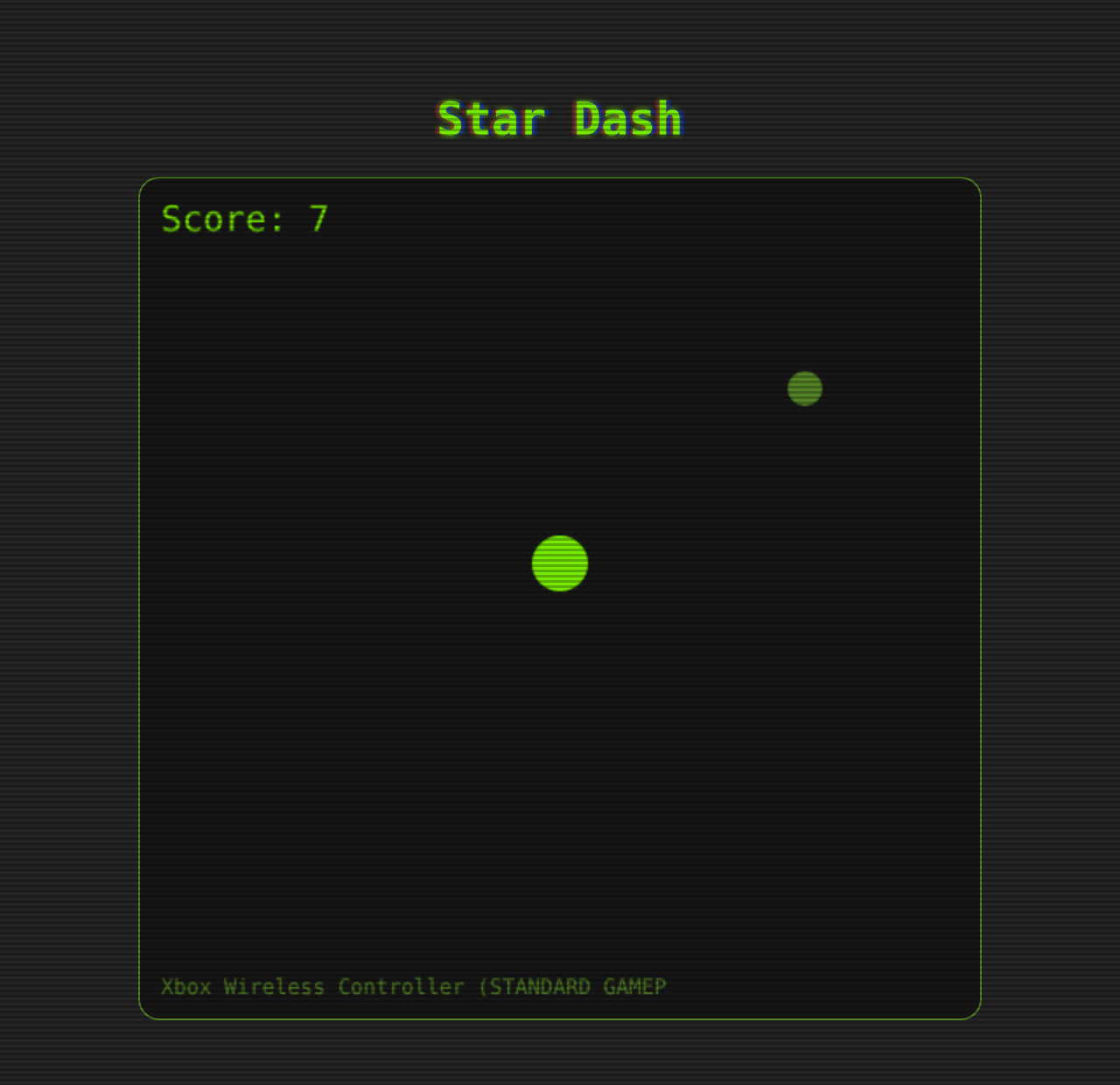
Every game with a stick does this. If your controller still drifts, make
DEAD_ZONE bigger: 0.2, 0.25.
Extra 2 — Press A to dash
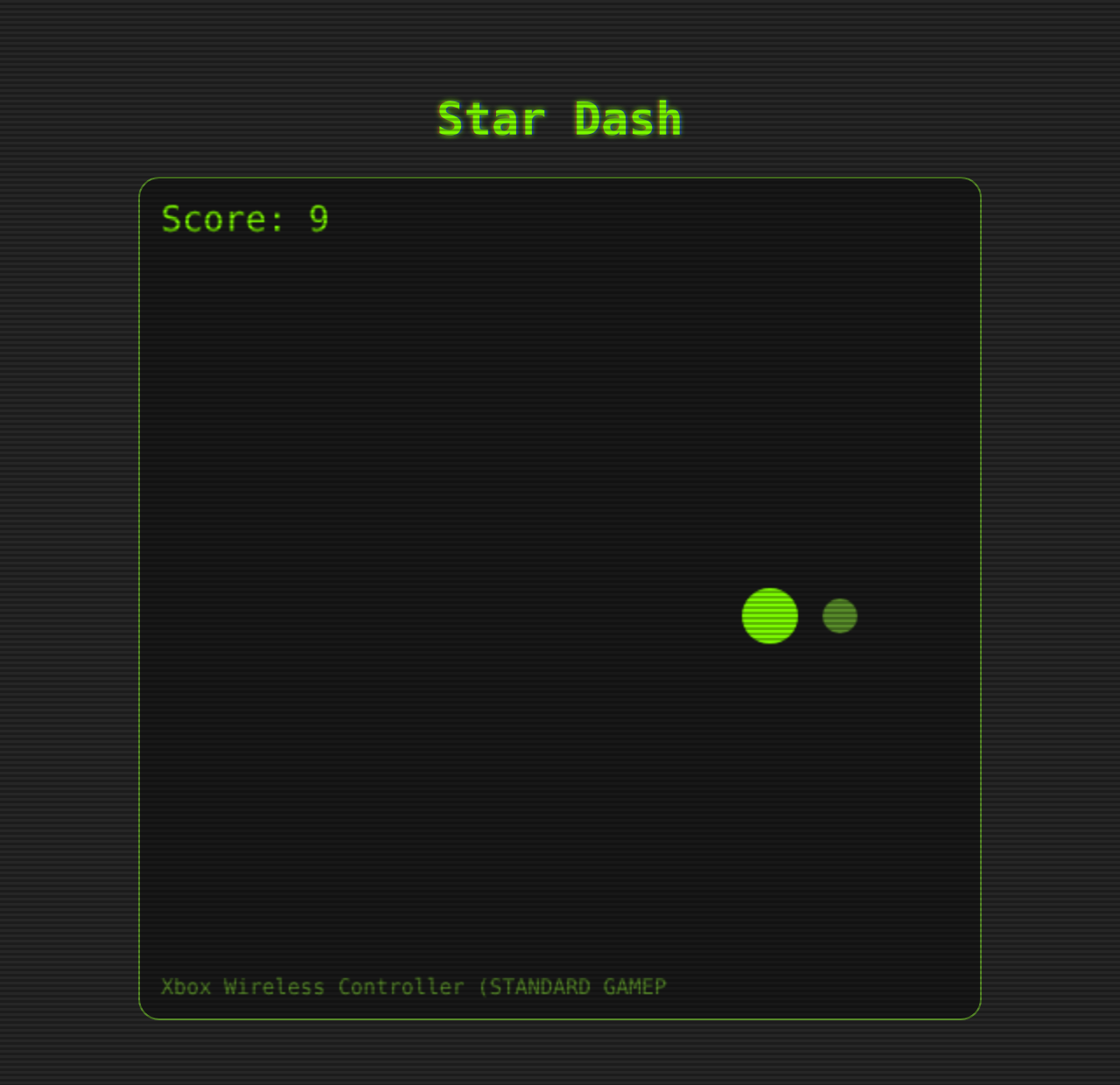
A (button 0) or the space bar should make the player dash: three times as fast,
for ten frames. The obvious way is if (input.dash) player.dash = 10;
— try it, and hold A. The player never stops dashing! Because we ask every
frame, pressed is true on every frame you hold it:
pressed is true five times. A dash should happen once, on the frame it went down.So we remember what the button was doing last frame. A dash starts only when it is down now and wasn't a moment ago:
game.js
// Find the canvas on the page, and get the "pen" we draw with.
const canvas = document.getElementById("game");
const ctx = canvas.getContext("2d");

// ----- game state -----
const player = { x: 240, y: 240, radius: 16, speed: 4, dash: 0 };
const star = { x: 100, y: 100, radius: 10 };
let score = 0;

// ----- input: remember which keys are held down right now -----
const keys = {};
document.addEventListener("keydown", (event) => { keys[event.key] = true; });
document.addEventListener("keyup", (event) => { keys[event.key] = false; });

// ----- the controller -----
let padName = "";   // empty until a controller says hello

// The browser tells us when a controller arrives...
window.addEventListener("gamepadconnected", (event) => {
  padName = event.gamepad.id;
});

// ...and when it goes away.
window.addEventListener("gamepaddisconnected", () => {
  padName = "";
});

// The first controller, as it is right now - or null if there isn't one.
// Some browsers keep empty slots in the list, so skip those.
function getPad() {
  for (const pad of navigator.getGamepads()) {
    if (pad) return pad;
  }
  return null;
}

// A stick never rests at exactly 0. Anything smaller than this is "not pushed".
const DEAD_ZONE = 0.15;
function deadZone(value) {
  return Math.abs(value) < DEAD_ZONE ? 0 : value;
}

// Was dash already down last frame? A dash starts only when it goes down.
let dashWasDown = false;

// Put the star somewhere random, away from the edges.
function moveStar() {
  star.x = 40 + Math.random() * (canvas.width - 80);
  star.y = 40 + Math.random() * (canvas.height - 80);
}

// ----- one input: keyboard and controller, added together -----
function readInput() {
  const input = { x: 0, y: 0, dash: false };

  // the keyboard: the arrow keys, and space to dash
  if (keys["ArrowLeft"]) input.x -= 1;
  if (keys["ArrowRight"]) input.x += 1;
  if (keys["ArrowUp"]) input.y -= 1;
  if (keys["ArrowDown"]) input.y += 1;
  if (keys[" "]) input.dash = true;

  // the controller: the left stick, and the d-pad (buttons 12 to 15), and A
  const pad = getPad();
  if (pad) {
    input.x += deadZone(pad.axes[0]);
    input.y += deadZone(pad.axes[1]);
    if (pad.buttons[12].pressed) input.y -= 1;
    if (pad.buttons[13].pressed) input.y += 1;
    if (pad.buttons[14].pressed) input.x -= 1;
    if (pad.buttons[15].pressed) input.x += 1;
    if (pad.buttons[0].pressed) input.dash = true;
  }

  // never more than full speed, even with the stick AND a key pushed
  input.x = Math.max(-1, Math.min(1, input.x));
  input.y = Math.max(-1, Math.min(1, input.y));
  return input;
}

// ----- update: change the game state a tiny bit -----
function update() {
  const input = readInput();

  // a dash starts when the button goes DOWN - not every frame it is held
  if (input.dash && !dashWasDown) player.dash = 10;
  dashWasDown = input.dash;

  // dashing: three times as fast, for ten frames
  const speed = player.dash > 0 ? player.speed * 3 : player.speed;
  if (player.dash > 0) player.dash -= 1;

  player.x += input.x * speed;
  player.y += input.y * speed;

  // ...but never off the edge of the canvas
  player.x = Math.max(player.radius, Math.min(canvas.width - player.radius, player.x));
  player.y = Math.max(player.radius, Math.min(canvas.height - player.radius, player.y));

  // touching the star? (closer than the two radiuses added together)
  const distance = Math.hypot(star.x - player.x, star.y - player.y);
  if (distance < player.radius + star.radius) {
    score += 1;
    moveStar();
  }
}

// ----- draw: wipe the canvas and paint everything where it is now -----
function draw() {
  ctx.clearRect(0, 0, canvas.width, canvas.height);

  ctx.fillStyle = "#5a8f2a";
  ctx.beginPath();
  ctx.arc(star.x, star.y, star.radius, 0, Math.PI * 2);
  ctx.fill();

  ctx.fillStyle = player.dash > 0 ? "#bfff80" : "chartreuse";   // pale while dashing
  ctx.beginPath();
  ctx.arc(player.x, player.y, player.radius, 0, Math.PI * 2);
  ctx.fill();

  ctx.fillStyle = "chartreuse";
  ctx.font = "20px monospace";
  ctx.fillText("Score: " + score, 12, 30);

  // which controller, if any
  ctx.fillStyle = "#5a8f2a";
  ctx.font = "12px monospace";
  if (padName) {
    ctx.fillText(padName.slice(0, 40), 12, canvas.height - 14);
  } else {
    ctx.fillText("no controller: plug one in and press a button", 12, canvas.height - 14);
  }
}

// ----- the game loop: update, draw, repeat - about 60 times a second -----
function loop() {
  update();
  draw();
  requestAnimationFrame(loop);
}

moveStar();
loop();
That dashWasDown trick is how you turn “is it held?” into
“was it just pressed?” — you'll use it for jumping, shooting,
pausing… anything that should happen once per press.
Extra 3 — Draw the controller
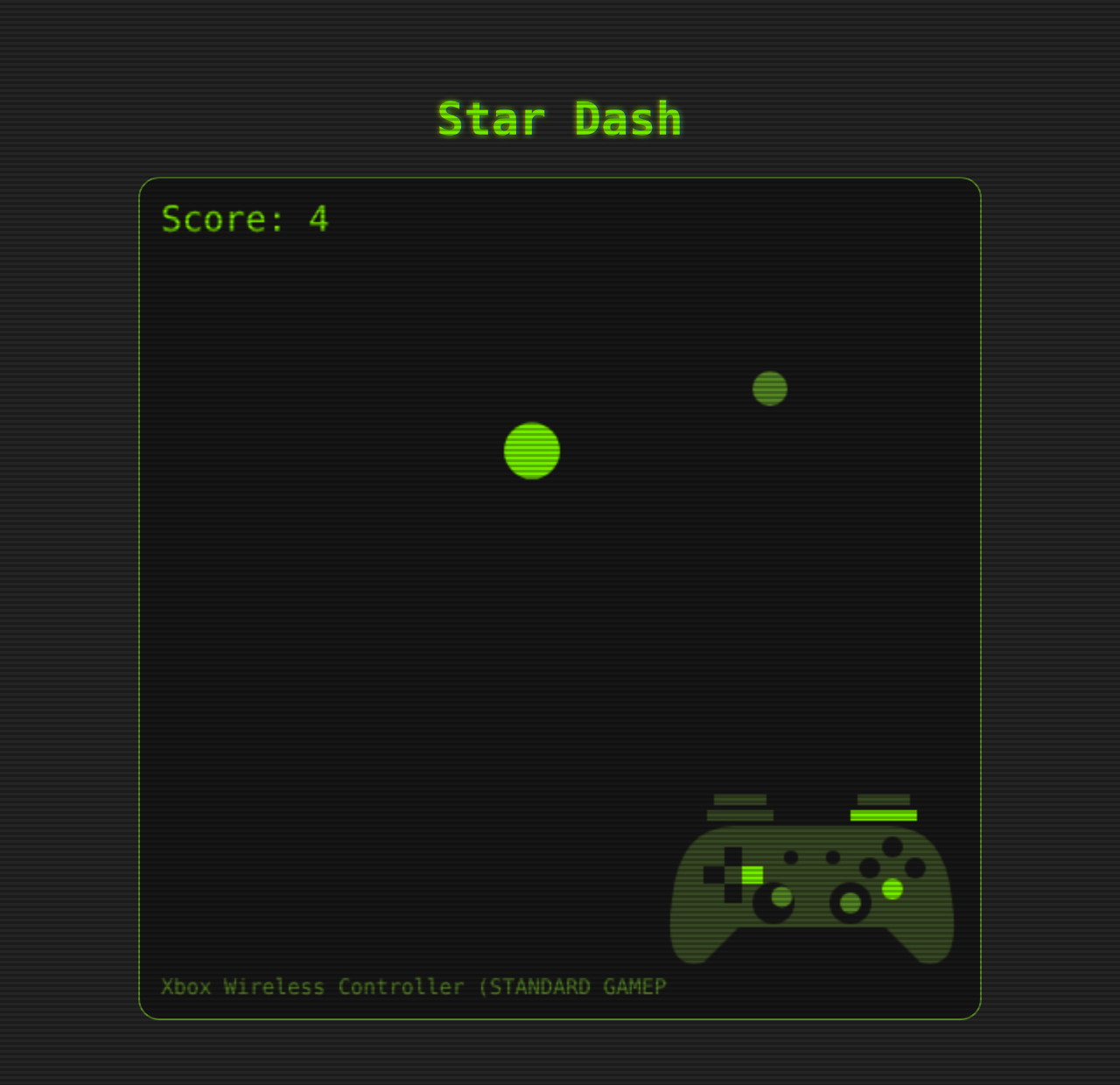
When something doesn't work — the wrong button does something, or nothing happens at all — it helps to see what the game sees. This draws a little controller in the corner that lights up as you press it: every button, both triggers and bumpers, and the sticks moving with yours. It's for you, the developer — take it out (or hide it behind a key) when the game is done.
game.js
// Find the canvas on the page, and get the "pen" we draw with.
const canvas = document.getElementById("game");
const ctx = canvas.getContext("2d");

// ----- game state -----
const player = { x: 240, y: 240, radius: 16, speed: 4, dash: 0 };
const star = { x: 100, y: 100, radius: 10 };
let score = 0;

// ----- input: remember which keys are held down right now -----
const keys = {};
document.addEventListener("keydown", (event) => { keys[event.key] = true; });
document.addEventListener("keyup", (event) => { keys[event.key] = false; });

// ----- the controller -----
let padName = "";   // empty until a controller says hello

// The browser tells us when a controller arrives...
window.addEventListener("gamepadconnected", (event) => {
  padName = event.gamepad.id;
});

// ...and when it goes away.
window.addEventListener("gamepaddisconnected", () => {
  padName = "";
});

// The first controller, as it is right now - or null if there isn't one.
// Some browsers keep empty slots in the list, so skip those.
function getPad() {
  for (const pad of navigator.getGamepads()) {
    if (pad) return pad;
  }
  return null;
}

// A stick never rests at exactly 0. Anything smaller than this is "not pushed".
const DEAD_ZONE = 0.15;
function deadZone(value) {
  return Math.abs(value) < DEAD_ZONE ? 0 : value;
}

// Was dash already down last frame? A dash starts only when it goes down.
let dashWasDown = false;

// Put the star somewhere random, away from the edges.
function moveStar() {
  star.x = 40 + Math.random() * (canvas.width - 80);
  star.y = 40 + Math.random() * (canvas.height - 80);
}

// ----- one input: keyboard and controller, added together -----
function readInput() {
  const input = { x: 0, y: 0, dash: false };

  // the keyboard: the arrow keys, and space to dash
  if (keys["ArrowLeft"]) input.x -= 1;
  if (keys["ArrowRight"]) input.x += 1;
  if (keys["ArrowUp"]) input.y -= 1;
  if (keys["ArrowDown"]) input.y += 1;
  if (keys[" "]) input.dash = true;

  // the controller: the left stick, and the d-pad (buttons 12 to 15), and A
  const pad = getPad();
  if (pad) {
    input.x += deadZone(pad.axes[0]);
    input.y += deadZone(pad.axes[1]);
    if (pad.buttons[12].pressed) input.y -= 1;
    if (pad.buttons[13].pressed) input.y += 1;
    if (pad.buttons[14].pressed) input.x -= 1;
    if (pad.buttons[15].pressed) input.x += 1;
    if (pad.buttons[0].pressed) input.dash = true;
  }

  // never more than full speed, even with the stick AND a key pushed
  input.x = Math.max(-1, Math.min(1, input.x));
  input.y = Math.max(-1, Math.min(1, input.y));
  return input;
}

// ----- update: change the game state a tiny bit -----
function update() {
  const input = readInput();

  // a dash starts when the button goes DOWN - not every frame it is held
  if (input.dash && !dashWasDown) player.dash = 10;
  dashWasDown = input.dash;

  // dashing: three times as fast, for ten frames
  const speed = player.dash > 0 ? player.speed * 3 : player.speed;
  if (player.dash > 0) player.dash -= 1;

  player.x += input.x * speed;
  player.y += input.y * speed;

  // ...but never off the edge of the canvas
  player.x = Math.max(player.radius, Math.min(canvas.width - player.radius, player.x));
  player.y = Math.max(player.radius, Math.min(canvas.height - player.radius, player.y));

  // touching the star? (closer than the two radiuses added together)
  const distance = Math.hypot(star.x - player.x, star.y - player.y);
  if (distance < player.radius + star.radius) {
    score += 1;
    moveStar();
  }
}

// ----- debugging: draw the controller, lit up as you press it -----
const LIT = "chartreuse", OFF = "#181818", BODY = "#3a4d26";

function dot(x, y, r, on) {
  ctx.fillStyle = on ? LIT : OFF;
  ctx.beginPath();
  ctx.arc(x, y, r, 0, Math.PI * 2);
  ctx.fill();
}

function drawPad(pad) {
  const b = (i) => pad.buttons[i] && pad.buttons[i].pressed;
  ctx.save();
  ctx.translate(300, 352);   // the controller's top-left corner on the canvas

  // shoulders: bumpers 4 and 5, triggers 6 and 7
  ctx.fillStyle = b(6) ? LIT : BODY;  ctx.fillRect(28, 0, 30, 6);
  ctx.fillStyle = b(7) ? LIT : BODY;  ctx.fillRect(110, 0, 30, 6);
  ctx.fillStyle = b(4) ? LIT : BODY;  ctx.fillRect(24, 9, 38, 6);
  ctx.fillStyle = b(5) ? LIT : BODY;  ctx.fillRect(106, 9, 38, 6);

  // the body
  ctx.fillStyle = BODY;
  ctx.beginPath();
  ctx.moveTo(40, 18);
  ctx.lineTo(128, 18);
  ctx.quadraticCurveTo(160, 18, 164, 60);
  ctx.quadraticCurveTo(170, 102, 146, 96);
  ctx.lineTo(126, 76);
  ctx.lineTo(42, 76);
  ctx.lineTo(22, 96);
  ctx.quadraticCurveTo(-2, 102, 4, 60);
  ctx.quadraticCurveTo(8, 18, 40, 18);
  ctx.fill();

  // the d-pad: 12 up, 13 down, 14 left, 15 right
  ctx.fillStyle = b(12) ? LIT : OFF;  ctx.fillRect(34, 30, 10, 11);
  ctx.fillStyle = b(13) ? LIT : OFF;  ctx.fillRect(34, 51, 10, 11);
  ctx.fillStyle = b(14) ? LIT : OFF;  ctx.fillRect(22, 41, 12, 10);
  ctx.fillStyle = b(15) ? LIT : OFF;  ctx.fillRect(44, 41, 12, 10);

  // the face buttons: 0 bottom, 1 right, 2 left, 3 top
  dot(130, 54, 6, b(0));
  dot(143, 42, 6, b(1));
  dot(117, 42, 6, b(2));
  dot(130, 30, 6, b(3));

  // back and start (8 and 9)
  dot(72, 36, 4, b(8));
  dot(96, 36, 4, b(9));

  // the sticks: a ring, and a knob pushed where the stick is pushed
  const sticks = [[62, 62, 0], [106, 62, 2]];   // x, y, first axis
  for (const [x, y, a] of sticks) {
    dot(x, y, 12, false);
    ctx.fillStyle = b(a === 0 ? 10 : 11) ? LIT : "#5a8f2a";   // bright when the stick is clicked in
    ctx.beginPath();
    ctx.arc(x + pad.axes[a] * 6, y + pad.axes[a + 1] * 6, 6, 0, Math.PI * 2);
    ctx.fill();
  }

  ctx.restore();
}

// ----- draw: wipe the canvas and paint everything where it is now -----
function draw() {
  ctx.clearRect(0, 0, canvas.width, canvas.height);

  ctx.fillStyle = "#5a8f2a";
  ctx.beginPath();
  ctx.arc(star.x, star.y, star.radius, 0, Math.PI * 2);
  ctx.fill();

  ctx.fillStyle = player.dash > 0 ? "#bfff80" : "chartreuse";   // pale while dashing
  ctx.beginPath();
  ctx.arc(player.x, player.y, player.radius, 0, Math.PI * 2);
  ctx.fill();

  ctx.fillStyle = "chartreuse";
  ctx.font = "20px monospace";
  ctx.fillText("Score: " + score, 12, 30);

  // which controller, if any
  ctx.fillStyle = "#5a8f2a";
  ctx.font = "12px monospace";
  if (padName) {
    ctx.fillText(padName.slice(0, 40), 12, canvas.height - 14);
  } else {
    ctx.fillText("no controller: plug one in and press a button", 12, canvas.height - 14);
  }

  const pad = getPad();
  if (pad) drawPad(pad);
}

// ----- the game loop: update, draw, repeat - about 60 times a second -----
function loop() {
  update();
  draw();
  requestAnimationFrame(loop);
}

moveStar();
loop();
ctx.save() and ctx.translate() move the pen to the
controller's corner, so all the numbers inside drawPad() are
measured from there; ctx.restore() puts the pen back. Press every
button: if the wrong part lights up, your controller doesn't use the standard
numbers.
▶ play it with every extragame.js
Make it your own
Make it buzz
Many controllers can rumble. In Chrome and Edge, when you collect a star:
const pad = getPad();
if (pad && pad.vibrationActuator) {
  pad.vibrationActuator.playEffect("dual-rumble", {
    duration: 150, strongMagnitude: 0.8, weakMagnitude: 0.4
  });
}
Pause with START
Start is button 9. Use the dashWasDown trick from Extra 2 to flip a
paused variable, and skip update() while it's true.
Two players
navigator.getGamepads() is a list: the first controller is player one,
the next is player two. Give each its own player object, and read each pad into
its own player.
Squeeze the trigger
The triggers are analogue buttons: pad.buttons[7].value goes from 0
to 1 as you squeeze. Use it for speed — a gentle squeeze for a slow move,
all the way for full speed.
Diagonals
With the keyboard, right + down moves you faster than right alone (try it). Fix it
by shrinking input whenever its length, Math.hypot(input.x, input.y),
is more than 1.
When it doesn't work
- It says no controller? Press a button. Browsers hide controllers until you do — even ones that were plugged in before the page opened.
- The buttons have different numbers? Your controller may not
use the standard layout (
pad.mappingisn't"standard"). Draw the controller from Extra 3 to see which numbers it uses, or try another browser. - Nothing happens in another tab? Most browsers stop reading controllers for tabs in the background. Keep the game in front.
- Works on your computer, not on a website? Some browsers only
give controllers to pages opened directly from a file, from
localhost, or overhttps://. - The player creeps on its own? That's stick drift: add the dead zone from Extra 1.
- Open the console. F12, Console tab: a typo shows up there in red, with the file and line number.